CineMaker
2026-11-18What it is
CineMaker is a tool for filming cinematics in Rust. You build a scene, then record yourself walking through one part of it: a camera move, a character crossing the frame, whatever the shot needs. The recording gets layered back in on the next pass, and you can stack as many layers as a shot needs, so one person can act out an entire scene across takes instead of needing a full cast of players online at the same time.
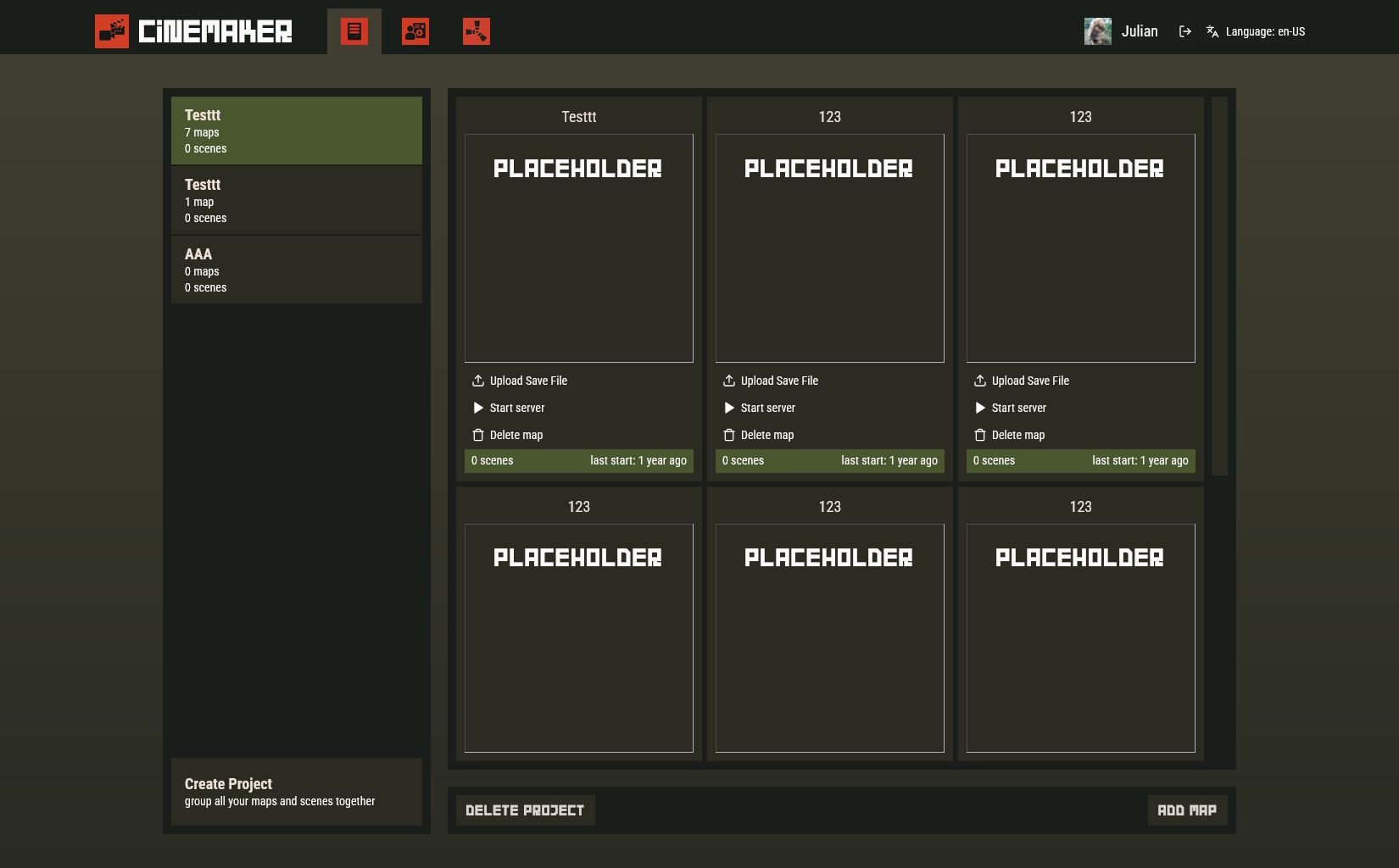
Every project on the site is a save file: a map plus however many scenes have been recorded into it. Hitting “Start server” spins up a dedicated game server seeded with that save and configured to run the CineMaker Carbon plugin that handles the actual recording and playback; stopping it tears the instance back down. My part was the website rather than the in-game recording plugin itself: Steam-authenticated project and map management, the server lifecycle that provisions and configures a Rust server per project on demand, and the admin side for monitoring and billing.
Tech stack
Frontend: SvelteKit with Svelte 5 (runes) and TypeScript, styled with Tailwind and bits-ui, with svelte-i18n for localization and sveltekit-superforms/Zod for form validation. Sign-in is Steam OpenID with JWT-backed sessions, and VIP access is handled through PayNow, our own payment platform.
Server lifecycle: each project maps to a Pterodactyl-managed Rust server instance. Starting one pulls the latest CineMaker plugin build from a private GitHub release, uploads and unpacks it into the server’s Carbon plugin folder, writes a startup config (project/map IDs, DB credentials, server identity) for the plugin to read on boot, restores the project’s save file from Cloudflare R2, sets the server’s startup variables (map, world size, seed), and signals Pterodactyl to boot it. All of that runs off a single “Start server” click.
Map processing: a separate service reuses rustworld, the same procedural-map library behind RustViewer, to decode uploaded save files and render preview thumbnails, keeping heavy decoding off the main web app.
Data & ops: MySQL via Prisma, with large uploads (maps, saves) routed through a dedicated Cloudflare Worker straight to R2 instead of through the web server. Each service ships as its own Docker container, deployed with Coolify.
Features
The project view is where recordings actually get organized: each project groups the maps and scenes for a cinematic, with save files uploaded straight from the browser and a server started per map with one click.
The admin panel tracks every provisioned server across the fleet: uptime, unique users, start events, and errors, so a server that’s stuck or quietly failing to boot shows up before someone reports it.
More features are landing as the project moves through beta.