RustViewer
2026-11-17What it is
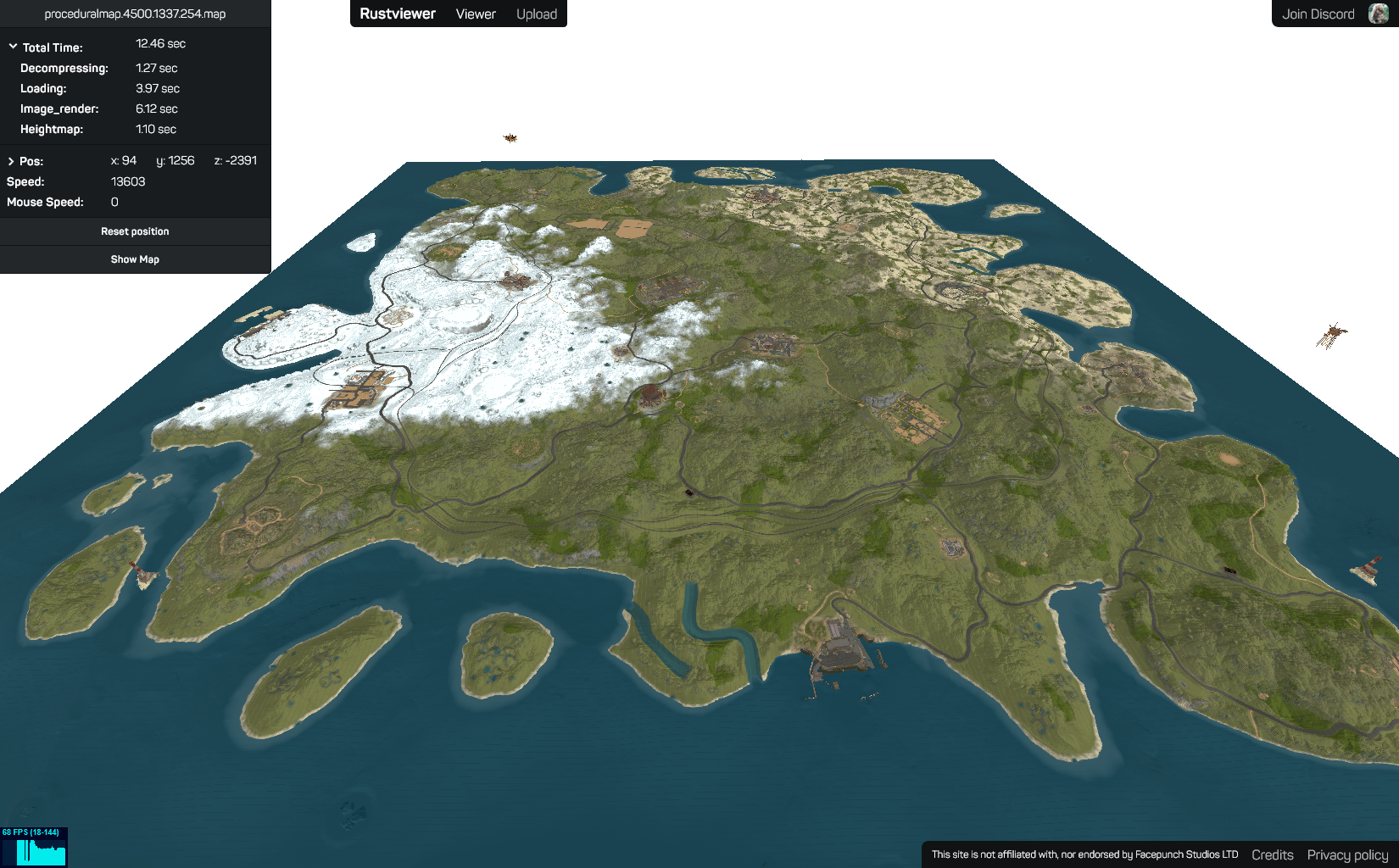
RustViewer lets you upload a procedural map file from the game Rust and explore it as a real 3D scene in the browser instead of a flat, pre-rendered image. Drop in a .map file and it gets decoded, turned into a heightmap and monument layout, and streamed into a free-flying Three.js viewer where you can swoop over the terrain, check out monuments up close, and jump to a 2D overview when you just need the layout.
It’s built for the Rust server-hosting community, who generate and share dozens of these procedural maps when deciding on a seed before a wipe, and previously had to rely on flat top-down renders to judge terrain and monument placement.
Tech stack
The project is split into several small services rather than one monolith, so decoding heavy map files never blocks the web app itself.
Frontend: SvelteKit with TypeScript, rendering the 3D terrain and monuments with three.js and a 2D overview map with Leaflet. Uploaded maps are parsed off the main thread in a web worker, and heightmap chunks are streamed in and rendered at decreasing levels of detail as the camera moves away, so large maps stay smooth instead of loading one giant mesh upfront.
Map decoding: Rust’s procedural maps are a custom LZ4-compressed binary format. A library I maintain, rustworld, reimplements that format’s LZ4 variant and protobuf layout in TypeScript to read and write .map files without touching the game’s own tooling.
Backend: a separate MapProcessor service does the heavy lifting — decompressing uploads, extracting the heightmap and monument/prefab placements, and rendering preview images with sharp/canvas — coordinated through a small custom queue service so uploads don’t pile up on one worker. Processed maps and generated assets are stored in Cloudflare R2 via a dedicated Cloudflare Worker, metadata lives in a database through Prisma, and sign-in is Steam OpenID so maps can be tied to a profile.
Ops: each service (web app, queue, map processor) ships as its own Docker container via Docker Compose, deployed with Coolify.
Features
Uploading a map kicks off decoding and renders a preview automatically, no client-side plugins or game installation required.
Flying closer streams in higher-detail chunks around the camera, so you can inspect a monument’s layout before ever loading into the game.
Level of detail scales smoothly with distance, swapping in simplified terrain meshes far from the camera to keep frame rates high on large maps.
Uploaded maps are kept on a profile for later, with a 2D overview and sharable links for comparing seeds before committing to a wipe.